
Your restaurant menu does more than just help customers pick their meals. A well-designed menu can highlight dishes that make ordering easy and make your establishment stand out. So how do you know which items to feature, and how do you show them? Here are some practical tips to help you highlight your most profitable dishes, organize your menu, and handle seasonal specials.
Choose Which Dishes to Highlight
Before you change your menu, figure out which dishes are most valuable. Look at how often each item sells and compare that to its contribution margin. Calculating it is simple:
For example, if an entrée sells for $19 and the ingredients cost $6, it brings in $13 before other expenses. Use these numbers to focus on dishes that are both popular and have high margins. You can also try out less popular but profitable items. Highlight just a few dishes at once so customers can easily see your suggestions.
Make the Menu Easy to Scan
A well-organized menu makes it easier for customers to see their choices and spot featured dishes. Use clear categories, group similar items together, and keep descriptions short by focusing on ingredients, how the dish is prepared, and any sauces or sides.
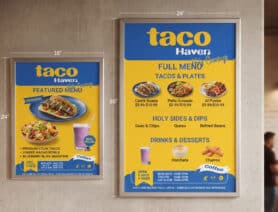
Use simple designs for organization. Custom borders, extra space, and food photos help highlight your most profitable dishes. Make sure these details match the rest of your menu’s style. Before printing, check a full-size proof to see if the text is easy to read, especially in your restaurant’s lighting.
Show Value Beyond the Price
Show customers where they can find good value by pointing out meal combos, shareable plates, and entrées that come with sides. Make sure to say exactly what’s included, list prices for add-ons, and explain any special offers.
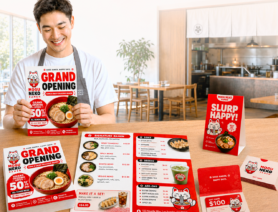
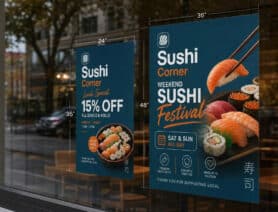
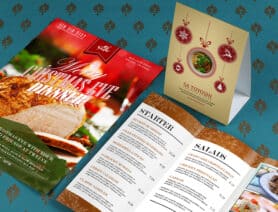
For seasonal specials or limited-time deals, try using separate materials like table tents, posters, or counter cards. This way, your promotions stand out without making your main menu feel crowded. You can also change these offers whenever you need, while your regular menu stays clear and easy to use.
Print Menus That Fit How Your Menu Changes
Choose a menu format that fits how your customers order and how often you update your dishes. Dine-in menus can show your full selection, while takeout menus should be easy to carry and simple to use. You can also use menu inserts if you have seasonal items or prices that change.
Before you print, make sure to check these details:
- Menu content: Make sure dish names, descriptions, prices, and availability are correct.
- Ordering information: Check that your operating hours, contact details, address, and ordering links are up to date.
- Promotions: Double-check the dates, conditions, and expiration details for any offers.
- Print quality: Make sure everything is easy to read at the final size, and that your takeout menu matches what you currently offer.
You can check out PrintPlace’s menu printing options to compare sizes, paper types, and folds that work best for your finished menu.
Frequently Asked Questions
Photos are most helpful when they show customers what unfamiliar dishes look like or highlight your restaurant's specialties. Most menus use clear, professional images that show a few selected dishes as they are served.
Rather than including photos of every dish, choose a few that best represent your menu. This makes the menu look more attractive and avoids a cluttered appearance.
Yes. Customers often notice the first items in each section. Try putting the dishes you want to promote at the top of each category. You can also test different orders to see which ones lead to more sales.
Having separate menus for breakfast, lunch, dinner, or happy hour is helpful when your offerings change throughout the day. This way, customers only see the dishes they can actually order at that time.
Check your menu regularly, especially when you add new dishes, change recipes, or see changes in what customers like. Ask servers and customers for feedback to spot confusing descriptions or items people ignore. Regular updates help your menu match what guests really want.
Turn Your Restaurant Menu Into an Asset for Your Business
A well-designed menu helps boost profitable orders and supports your restaurant’s long-term growth. When creating one for your restaurant, focus on your menu design, keep an eye on what customers choose, and use your sales to make improvements over time. If you want more ideas, check out How to Promote a Restaurant During Slow Hours to bring in more guests, or How to Get More Repeat Takeout Orders for Your Restaurant to keep customers coming back. With some thoughtful planning, your menu can become a key tool for a steady restaurant success.