
Give us a call M-F (6am-10pm CT), Sat-Sun (8am-7pm CT)

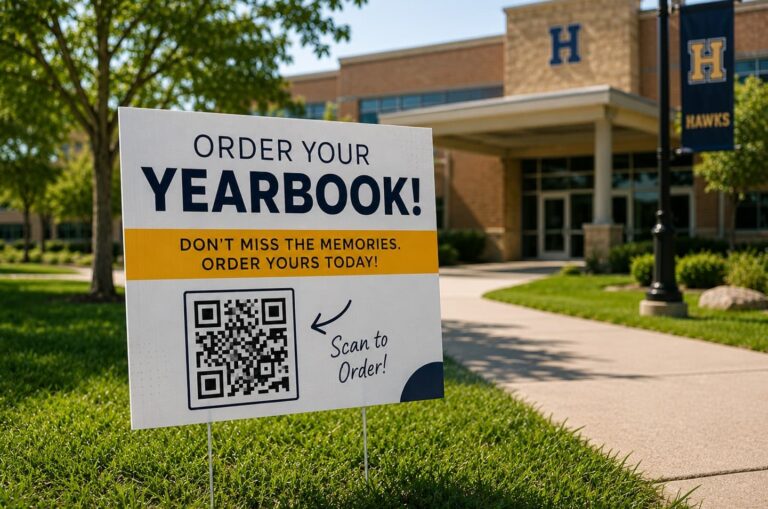
Running a school office usually involves answering the same questions, guiding visitors, and sharing information in different ways. The main challenge is making sure people can easily find what they need, right when they need it.
Putting QR codes on school yard signs and other promotional materials lets parents, visitors, and staff quickly get information on their phones. Since 86% of smartphone users already know how to scan QR codes, schools can use them to make communication easier, help people find their way, and keep things running smoothly.
Below are five practical ways to use QR codes on school signs to improve communication and support smoother day-to-day operations.
When visitors arrive on campus, they often need help right away. A yard sign with a QR code gives them an easy place to start.
An example of what to include on the sign:
“New Visitor? Start Here. Scan for Map and Directions.”
What should the QR code link to:
This method helps visitors find their way before they talk to staff. It also makes the front office run more smoothly during busy times, especially when these directional signs are clearly posted and easy to see.
Many parents look for information while they are on campus, especially at drop-off and pickup times. Putting a QR code on a sign in these spots lets them get updates quickly, without digging through emails.
Example message:
“School Updates and Reminders. Scan Here.”
What to include in the QR link:
This method works well with printed materials too. Flyers and handouts are still important for sending information home, especially when sharing details about programs or activities that parents might want to look at later. Using both methods helps make sure information is easy to find and review.
School schedules, event details, visitor instructions, and safety updates often change during the year. With QR codes, schools can keep their printed signs the same while linking people to digital information that can be updated whenever needed.
Rather than changing the main sign, schools can simply update the information associated with the QR code. This makes it easy for parents, visitors, and staff to get the latest updates right on their phones.
Here are some examples of information schools can update online:
This method keeps school yard signs consistent and ensures the linked information is always current. It also helps schools avoid extra printing and makes signs last longer.
To encourage people to scan the codes each time, schools can add small signs or updates that remind them to check for new announcements.
Schools can use QR codes to get real-time feedback from parents, visitors, and staff. Place a “Scan to Report” sign in busy areas so students, parents, and visitors can share their concerns right away, while the details are still clear in their minds.
These signs are especially helpful in places where problems are more likely, like parking lots, drop-off zones, and playground entrances. A clear message such as, “See something that needs attention? Scan to report,” gives people easy instructions and encourages them to take part.
The QR code can lead to a short form that asks about the type of concern, the location, and lets people add a photo if they want. This helps schools collect information in an organized way and makes it easier for staff to review, prioritize, and respond quickly.
Parents often have to complete several steps during school events and seasonal activities. QR codes make things easier by giving them one simple place to start. Try making posters or signs that say things like “Event Check-In. Scan Here,” “Scan to Order Your Yearbook,” or “Share Your Feedback Here.”
What the QR code can link to:
When you use QR codes for these activities, you can cut down on lines, get more people involved, and help parents finish tasks right away.
Yes. Many parents have seen QR codes at restaurants, for payments, on forms, or when signing up for events. Putting them on school signs makes it quick and easy to get information on a smartphone, and there’s no need to download an app.
A QR code should be at least 2” x 2” so it’s easy to scan. Making it larger can help people see and scan it more easily, especially if they’re in a car or farther away.
QR codes are most helpful when they go straight to one page or action. Linking to something specific, like a form, schedule, announcement, or contact page, makes things quicker and simpler for everyone.
Yes. With dynamic QR codes, schools can update the link without reprinting the sign. This helps keep announcements, schedules, and other info current all year long.
Yes. Most smartphones today can scan QR codes right from the camera app, so there’s no need to install anything extra.
No. QR codes work best when used with printed signs. The signs catch people’s attention, and the QR codes provide quick access to digital information, updates, and interactive tools.
School admins and print buyers use QR codes to make communication easier and more manageable.
QR codes link your signs to the information people need right away. If you place them carefully, they can make daily routines smoother, cut down on repeated questions, and help parents and visitors have a better experience.
Begin by adding QR codes to one spot, such as your entrance or pickup area, and expand as you see what works best for your school. Work with trusted printers like PrintPlace to create signs and banners, and add QR codes so people can easily scan for the latest school-day information.
PrintPlace’s mission is to provide customers with unparalleled printing services through the knowledge and expertise of its employees.