
Give us a call M-F (6am-10pm CT), Sat-Sun (8am-7pm CT)

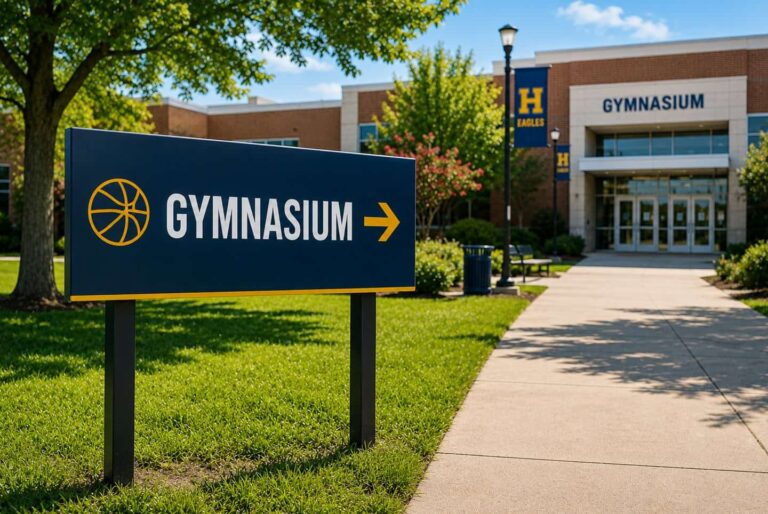
Clear instructional and directional signs help visitors find their way around your school and create a welcoming, organized environment. Parents, students, guests, and sponsors rely on signs to know where to go and what to do. Where should they park? Which entrance should they use? What should they do once inside?
When signs are easy to read and placed in the right locations, it is easier and faster for everyone to move around campus. This guide shares practical tips for improving school signage, such as choosing the best spots, making signs more visible, and keeping them current to support daily life and communication at school.
The first signs visitors see make it easier for them to find their way around campus. Clear signs at entry points help people know where to go before they have to make quick choices. This matters most for drivers, who only have a few seconds to respond.
At the very least, entry signs should show:
Large signs, like banners or yard signs, work well here because people can read them from a distance.
Rather than using just one sign, imagine creating a clear path for people to follow.
For example, if someone is looking for the main office, they should see a sign before the hallway splits, another sign after they turn, and a clear marker at the office door.
This way, visitors can keep moving confidently without having to stop and ask for directions.
Good school signs should help visitors know what to do next, not just show where they are. Clear wording guides people to their next step. This helps visitors find their way and saves staff time on giving directions.
Here are some helpful examples:
Visual hierarchy makes signs easier to use. Make the action the largest and most noticeable part, with other details smaller. Use arrows, spacing, and bold text to highlight the main instruction. High-contrast colors and clear fonts help people read signs from a distance.
Put these signs at entrances, parking lots, sidewalks, and reception areas where visitors usually look for directions. Make sure signs are placed early enough so people can read and react before reaching a door, hallway, or intersection. A-frame signs are useful because you can set them right on the path and update them easily when needed.
Studies on school zone signs show that clear wording helps people follow instructions better. For example, one study found that 65% of drivers thought speed limit signs help them on roads. This shows that simple, direct messages work well, even in busy places. The same idea applies to school campuses, where clear, action-oriented signs help visitors quickly and easily follow the rules.
School signs need to be easy to read and understand right away. Whether it’s for directing people to their destinations, promoting events, or offering instructions to sign up in programs, simple layouts and clear messages should help visitors without getting distracted.
Here are some ways to make signs easier to read and use:
Schools often undergo many changes throughout the year. Events, schedule shifts, and temporary rules mean signs need to be easy to update.
A flexible signage system usually has a few key parts:
A-frame signs are great for short-term instructions. Posters and foam boards help update information inside the building.
Schools can add even more flexibility by using QR codes. These let signs link to maps, schedules, or event details without needing to print new ones.
QR codes can also help update information without changing the sign. This is especially useful for maps, schedules, and event details.
Do parents commonly use QR codes at schools?
Yes. Many parents have seen QR codes at restaurants, for payments, on forms, or when signing up for events. Putting them on school signs makes it quick and easy to get information on a smartphone, and there’s no need to download an app.
A QR code should be at least 2” x 2” so it’s easy to scan. Making it larger can help people see and scan it more easily, especially if they’re in a car or farther away.
QR codes are most helpful when they go straight to one page or action. Linking to something specific, like a form, schedule, announcement, or contact page, makes things quicker and simpler for everyone.
Yes. With dynamic QR codes, schools can update the link without reprinting the sign. This helps keep announcements, schedules, and other info current all year long.
Yes. Most smartphones today can scan QR codes right from the camera app, so there’s no need to install anything extra.
No. QR codes work best when used with printed signs. The signs catch people’s attention, and the QR codes provide quick access to digital information, updates, and interactive tools.
Clear instructional and directional signs make schools feel more organized, welcoming, and efficient for everyone on campus. When signs are easy to read, placed in the right locations, and kept current, it’s easier for people to find their way. Even small updates to sign design or placement can make daily navigation simpler and allow staff to focus on their main tasks. PrintPlace can help your school create practical, visible signage so students, visitors, and families can reach their destinations with ease every day.
PrintPlace’s mission is to provide customers with unparalleled printing services through the knowledge and expertise of its employees.